Point at it.
Your AI fixes it.

Click anything on the site you're building, say what's off, and Zeigvox hands your AI the exact file, styles and a screenshot. No more explaining which button you meant.

No account needed Runs on your computer No tracking
How it works

Stop describing your UI. Point at it.

Telling an AI "make the second card look like the first one" takes five tries. Zeigvox gives it everything it needs on the first.

01

Click it and say what's off

Turn Zeigvox on and click any element on your page. Type a few words like "more space" or "match the other button". Queue up as many changes as you want.

  • Finds the component, file and line for you
  • Works with React, Next.js, Vue, Svelte and plain HTML
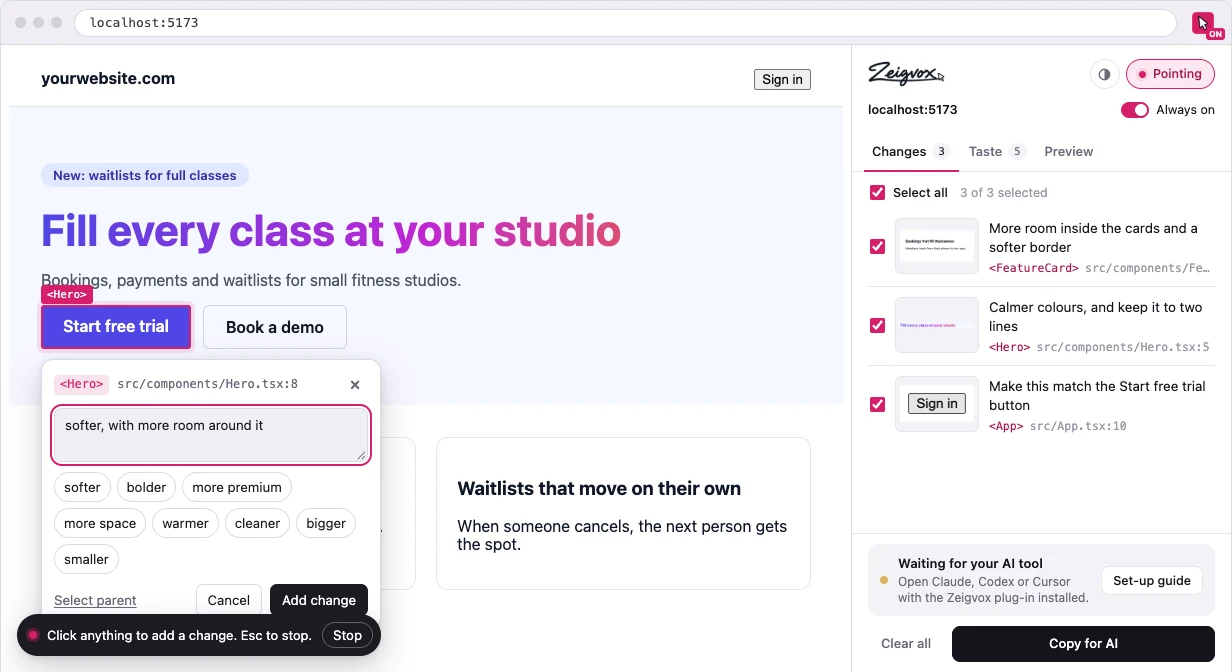
Zeigvox pointing at a button on a website, with a note that says softer, with more room around it
02

Your AI gets the full picture

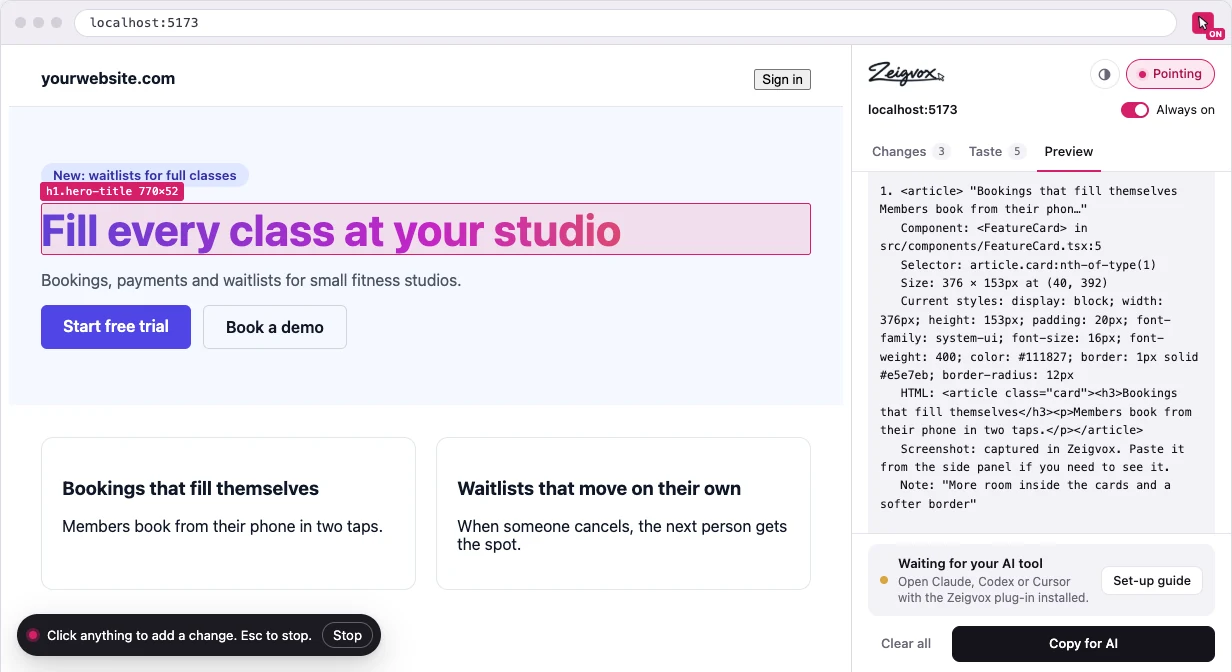
Every change goes out with its file, current styles, a bit of HTML and a screenshot of just that element. Your AI stops guessing and edits the right thing.

  • One click copies it all, ready to paste
  • Or connect Claude, Codex or Cursor and skip pasting
The Zeigvox side panel showing the request it builds for your AI, with file, selector and styles for each change
03

It remembers your taste

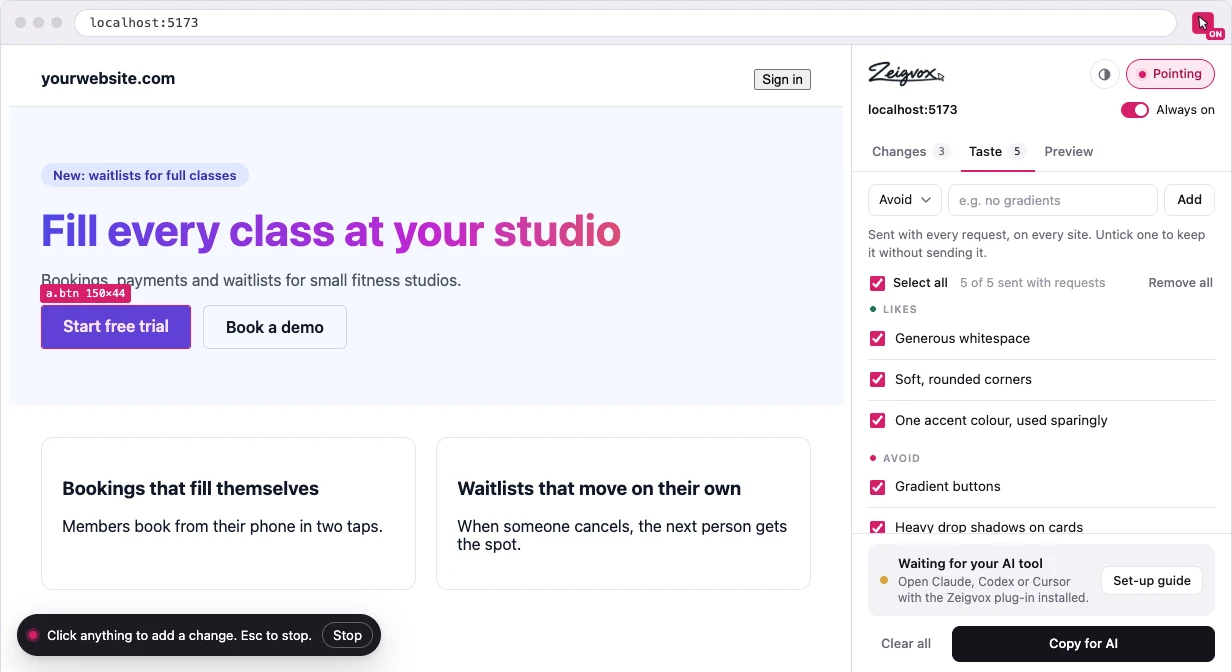
Tell it once that you like generous spacing and hate gradient buttons. Your likes and dislikes go out with every request, on every project.

The Taste tab in Zeigvox listing likes such as generous whitespace, and things to avoid such as gradient buttons
04

Works inside AI builders too

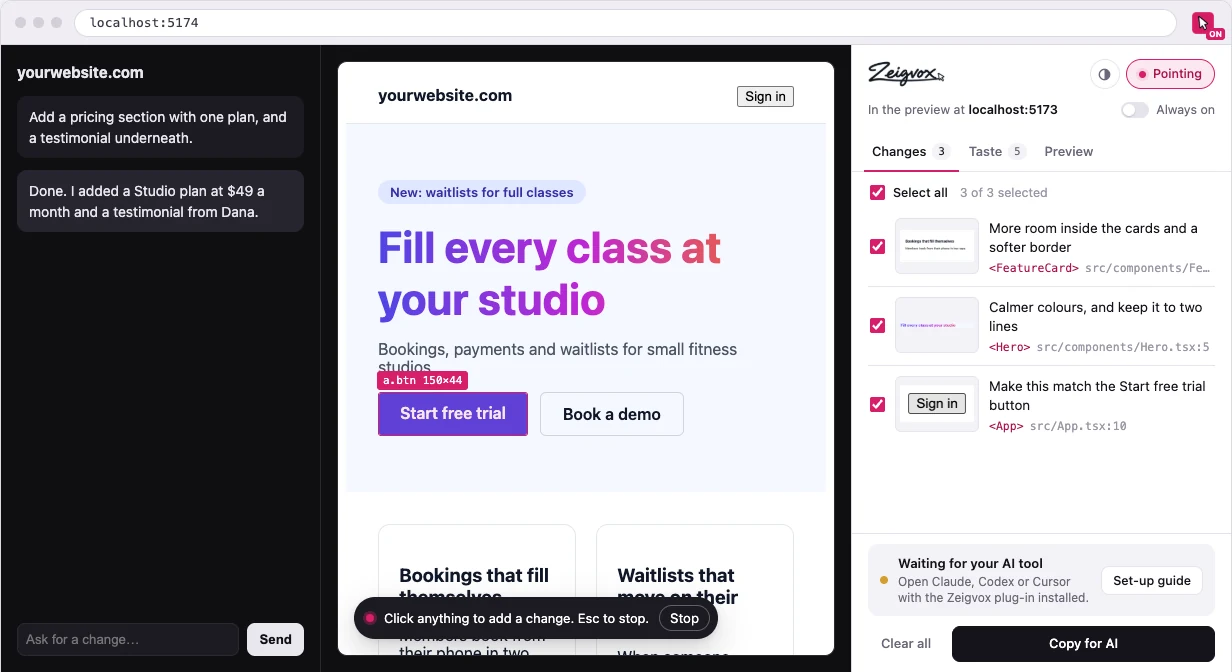
Building in Lovable, Bolt, v0 or Replit? Point at your app right inside the live preview, not the editor around it.

Zeigvox pointing at a button inside an AI builder's live preview
Works with

The tools you already use

Connect your AI coding tool once and just say "apply my Zeigvox changes". Or copy and paste into anything else.

Claude Code Claude app Codex Cursor Lovable Bolt v0 Replit CodeSandbox localhost

Works with any framework on localhost. If it runs in Chrome, you can point at it.

Privacy

Your code stays yours

Zeigvox only looks at what you click. Everything stays on your computer until you decide to send it to your AI.

What Zeigvox sees

  • The elements you click while pointing is on
  • The notes you type and your taste list
  • The page address, so your AI knows which page you mean
  • The component name and file your app already shows in dev mode

What it never touches

  • Passwords, form fields, cookies or logins
  • Other tabs or your browsing history
  • Your code files. Your AI edits them, the way it always does
  • Sites you haven't turned it on for
Your work never leaves your computer

Changes, notes and screenshots stay on your machine, even when you sign in.

No tracking, no ads

We don't run analytics in the extension, and we never sell anything about you.

Delete it in one click

Clear your changes in the panel, or remove the extension and it's all gone.

Pricing

Free while you build

Everything Zeigvox does today is free. Pro adds extras for people who use it every day.

Free
$0forever
No card, no account needed

Everything you need to fix your UI faster.

  • Unlimited changes and notes
  • Finds the file and line for you
  • Screenshots of every change
  • Your taste list on every request
  • Plug-in for Claude, Codex and Cursor
  • Works in AI builder previews
Add to Chrome

Prices in US dollars. Cancel any time, in one click, once Pro is out.

Questions

Good to know

Is it actually free?

Yes. Everything the extension does right now is free, with no limits on changes. Pro will add syncing and history later, and the free features stay free.

Do I need an account?

No. The extension works without one. An account is only for Pro features like syncing between computers, once they're out.

Can Zeigvox read my code?

No. It only sees the page in your browser, and only the parts you click. Your AI tool edits your code, the same way it does when you paste into it.

Which AI tools does it work with?

Any of them. Copy for AI works with every chat and builder. For Claude Code, the Claude app, Codex and Cursor there's a plug-in, so you can skip pasting and just say "apply my Zeigvox changes".

How does it know which file to change?

In development mode, frameworks like React, Next.js, Vue and Svelte leave a note in the page about which component made each element. Zeigvox reads that note. If it can't be sure, it says so instead of guessing.

Does it work on any website?

It works on any page you open in Chrome, but it's built for the site you're working on, on localhost or in an AI builder's preview. On a live site you can still point and send screenshots and styles.

Show it. Don't explain it.

Install Zeigvox in a few seconds and fix your next UI tweak on the first try.